

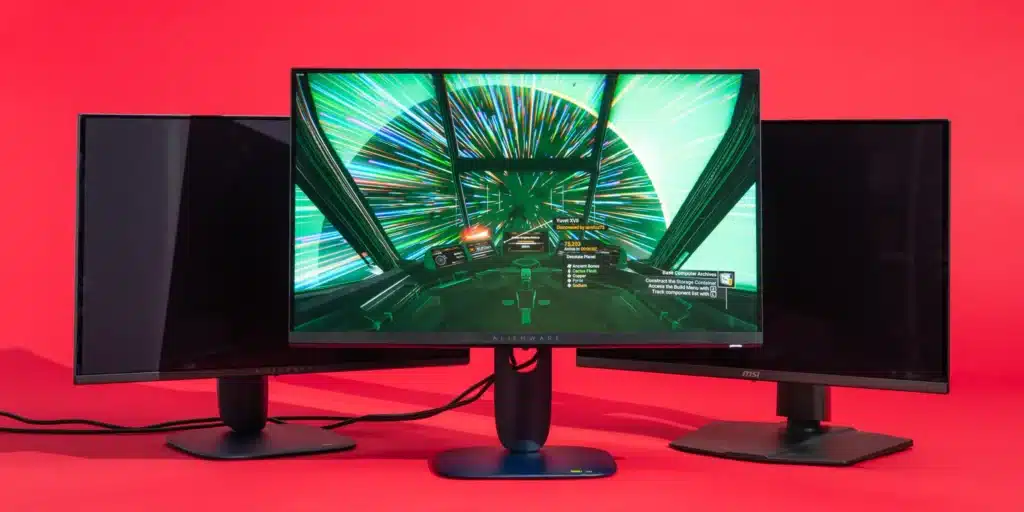
In competitive gaming, the best monitor is not the one with the flashiest spec sheet. It is the one that helps you read movement faster, track targets more cleanly, and respond with consistency under pressure. That is why serious players tend to care less about buzzwords and more about the combination of refresh rate, input lag, motion clarity, and the resolution their system can actually drive. NVIDIA’s own G-SYNC positioning leans heavily on ultra-high refresh rates and responsiveness for esports, while AMD frames FreeSync around synchronizing refresh rate to frame rate to reduce tearing, stutter, and latency-related issues.
That does not mean every competitive player needs the same display. A Valorant or Counter-Strike player chasing maximum motion clarity may prioritize a smaller 1080p or 1440p panel with very high refresh. A player who splits time between ranked competition and visually rich games may want a better balance of speed and image quality. The real question is not “What is the most expensive gaming monitor?” It is “Which monitor characteristics actually improve competitive play?”
Refresh Rate Still Matters, but Only if Your PC Can Feed It
Refresh rate is still one of the most important monitor specs for competitive gaming because it affects how often the screen updates each second. Higher-refresh displays can make motion appear smoother and make enemy movement easier to track, especially in fast shooters. NVIDIA explicitly markets high-refresh G-SYNC displays around this advantage, and current competitive-monitor guidance continues to place 240Hz and above in the sweet spot for serious esports use.
The catch is simple: your hardware has to keep up. Buying a 360Hz or 500Hz-class monitor does not magically create smoother gameplay if your PC cannot deliver high, stable frame rates. For many players, a strong 240Hz 1440p monitor is a smarter long-term buy than chasing extreme refresh numbers they cannot consistently reach. Current testing outlets still highlight 27-inch 1440p high-refresh models among the strongest all-around gaming choices, while 1080p ultra-high-refresh panels remain especially relevant to esports-first buyers.
Input Lag Is What You Feel
A lot of monitor marketing talks about response time, but input lag is often the more meaningful number for competitive feel. RTINGS defines input lag as the time it takes for the monitor to process the signal and begin displaying the image. In plain terms, it is part of the delay between your action and what you see on screen. RTINGS also notes that low input lag matters even more for competitive gamers, where responsiveness is critical.
This is where many buyers go wrong. They fixate on “1ms” branding without checking whether the display actually feels responsive in tested conditions. If you are comparing monitors for ranked or tournament-style play, independent testing on input lag is more valuable than a headline spec printed on the box. A monitor that stays consistently responsive at its native resolution and intended refresh rate will usually serve a competitive player better than one with aggressive marketing language and weaker real-world measurements.
Response Time and Motion Clarity Are Not the Same Thing as Marketing Hype
Response time affects how quickly pixels transition, and poor response handling creates visible blur behind moving objects. RTINGS notes directly that poor response times increase motion blur during fast on-screen movement, which is exactly the kind of scenario competitive players care about most.
That is why motion clarity deserves more attention in buying decisions. VESA created the ClearMR standard specifically to give buyers a clearer way to judge motion blur performance, and the organization later expanded ClearMR with higher performance tiers as display technology advanced.
For competitive play, that matters because “fast” is not just about refresh rate. A monitor can advertise a high refresh number and still look worse in motion than a better-tuned display. If you play twitch-heavy games, pursuit-photo style testing and motion-clarity standards are often more revealing than generic response-time claims.
VRR Helps More Than Many Players Realize
Variable refresh rate support, whether through G-SYNC or FreeSync, is not just a luxury feature for casual players. AMD says FreeSync synchronizes the display refresh rate to the frame rate of compatible hardware to reduce or eliminate tearing, stutter, and input-latency-related artifacts. RTINGS likewise describes VRR as a way to reduce tearing without adding the stuttering or increased input lag commonly associated with traditional sync tradeoffs.
That matters most when your frame rate moves around rather than staying perfectly locked. In real life, even good systems can dip during crowded team fights, smoke-heavy rounds, or poorly optimized titles. A good competitive monitor should not just look good at ideal conditions. It should stay stable when the match gets messy.
Resolution Should Match Your Competitive Priorities
Resolution is where personal priorities start to matter more. For pure competitive focus, 1080p still makes sense because it is easier to drive at extremely high frame rates. That is one reason ultra-high-refresh esports displays often stay in the 24- to 25-inch 1080p range. Recent esports monitor recommendations still feature 24.1-inch and 24.5-inch high-refresh panels as serious options for players who care most about motion and consistency.
But 1440p has become a powerful middle ground. It offers a sharper image than 1080p without demanding as much as 4K, and multiple current best-of lists put 1440p high-refresh monitors at the center of the market for gamers who want both competitive speed and better image quality.
For most players trying to balance ranked performance with general use, 1440p at 240Hz is increasingly the most sensible target. It is fast enough for serious competition and clean enough for everyday gaming, streaming, and content use.
Panel Type Matters, but Context Matters More
OLED panels have become increasingly attractive because of their near-instant pixel response and strong image quality. RTINGS’ current top gaming-monitor rankings and Tom’s Hardware’s recent best-monitor coverage both place OLED models near the top for overall gaming performance.
Still, not every competitive player needs OLED. Some esports-focused buyers still prefer smaller, speed-first panels that emphasize refresh behavior and motion consistency over premium contrast. The best choice depends on your mix of games, your budget, and whether you care more about tournament-style responsiveness or all-around visual quality.
What to Prioritize by Player Type
| Player Type | Best Monitor Direction | Why It Fits |
|---|---|---|
| Ranked FPS grinder | 24–25 inch, 1080p, 240Hz to 360Hz+ | Easier to drive high FPS and prioritize motion clarity |
| All-around competitive gamer | 27 inch, 1440p, 240Hz | Strong mix of sharpness, speed, and long-term value |
| Hybrid gamer/creator | 27–32 inch, 1440p or 4K, high refresh | Better image quality for mixed workloads |
| Budget competitor | 1080p, 144Hz to 240Hz with VRR | Best value while still getting meaningful speed gains |
These are guidelines, not rules. The best monitor is the one that fits your actual games, your hardware, and your priorities under match conditions.
What Actually Matters Before You Buy
If you strip away the marketing language, competitive players should care most about a short list of things: refresh rate you can actually use, low tested input lag, strong motion clarity, and VRR support that keeps gameplay smooth when frame rates shift. Certified standards can help too. VESA’s ClearMR gives buyers a clearer motion-performance signal, while DisplayHDR is VESA’s open standard for HDR performance and quality, though HDR itself is usually less important than speed for pure esports buyers.
The smartest buyers think in terms of performance fit, not spec-sheet bragging rights. A monitor that matches your system and your game library will improve your experience more than an expensive display built for use cases you never touch.
Game Cloud Network has already explored how setup choices influence competitive results in The Best Gear for Esports Pros, and the same principle applies here: good gear should support decision-making, not distract from it. For a deeper technical look at sync behavior and display technologies, AMD’s overview of FreeSync technology is a useful baseline reference.
In the end, the best gaming monitor for competitive play is rarely the one with the most extreme headline. It is the one that delivers clear motion, low delay, stable sync, and a refresh target your system can sustain when the pressure is highest.